


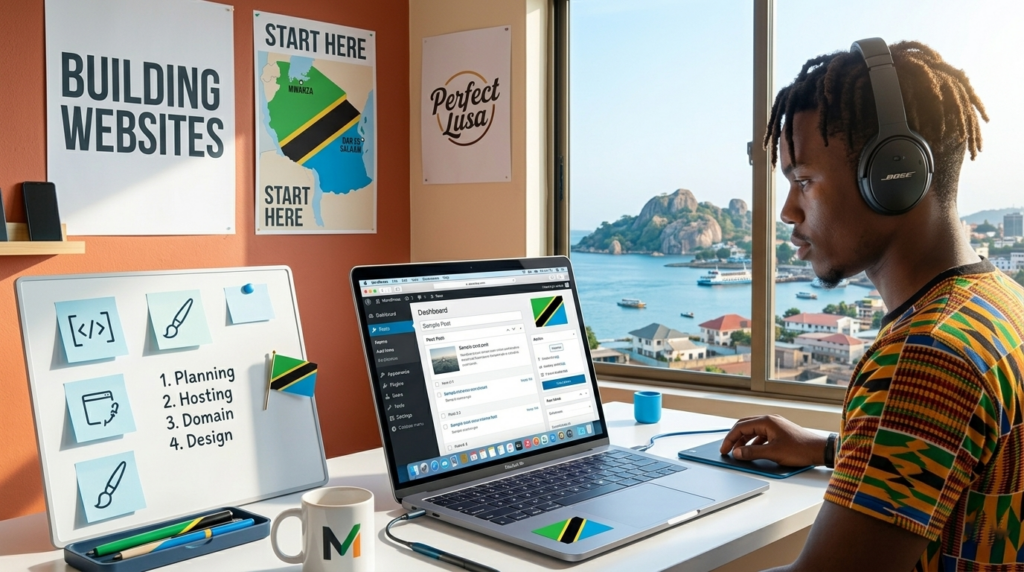
When I first decided to build a website in Tanzania, I had no background in web development, no coding knowledge, and honestly very little idea about how websites actually worked. All I knew was that I wanted a place on the internet where I could share knowledge, build something meaningful, and eventually grow an online brand.
Like many beginners, I made several mistakes in the beginning. I chose the wrong tools, wasted money on unnecessary services, and spent hours trying to figure out simple things. But over time, through trial and error, I learned a simple process that anyone in Tanzania can follow to build a website from scratch.
In this guide, I want to walk you through exactly how I do it today. If you are a beginner in Tanzania who wants to start a blog, a business website, or even an online portfolio, this article will show you step-by-step how to get started.
Why Building a Website in Tanzania Is a Great Opportunity
Before we jump into the technical steps, let me explain why building a website today is one of the smartest things you can do in Tanzania.
The internet in Tanzania is growing very fast. More people are using smartphones, searching for information online, and discovering businesses through Google. This means websites are becoming more valuable every year.
When you have your own website, you can:
- Share knowledge with thousands of people
- Build a personal or business brand
- Create online income opportunities
- Promote your services or products
- Build authority in your field
When I started my first website, I didn’t think about making money immediately. My goal was simply to create something useful and learn along the way. But over time, I realized that a website can become a powerful digital asset.
The good news is that building a website today is much easier than it was a few years ago. You no longer need to know programming languages like HTML, CSS, or JavaScript. With the right tools, anyone can create a professional website.
Step 1: Choosing the Right Hosting (Hostinger Tanzania)
The first step in building a website is choosing web hosting.
Think of web hosting like renting space on the internet. Your website files, images, and content need a place to live online. Hosting companies provide that space.
When I was starting, I spent many hours comparing hosting companies. Some were too expensive, others were too complicated for beginners. Eventually, I chose Hostinger, and it turned out to be one of the best decisions I made.
Why I Recommend Hostinger for Beginners in Tanzania
There are several reasons I recommend Hostinger, especially for beginners in Tanzania.
First, it is very affordable. Many people think starting a website is expensive, but with Hostinger you can start with a very small budget.
Second, it is beginner-friendly. The dashboard is simple and easy to understand, even if you have never built a website before.
Third, it offers fast website speed, which is very important for visitors in Tanzania and Africa.
Fourth, it includes free SSL security, which protects your website and helps with SEO.
Finally, Hostinger allows you to install WordPress with one click, which makes the setup process extremely easy.
Steps to Buy Hosting
Here is exactly how I usually do it.
First, go to the Hostinger website.
Second, choose a hosting plan. For beginners, the Single or Premium hosting plan is more than enough.
Third, register your domain name.
Your domain name is your website address. For example:
- yourname.com
- yourbrand.co.tz
- yourblog.com
If you are building a blog in Tanzania, you can choose either .com or .co.tz depending on your audience.
Fourth, complete the payment and create your hosting account.
Once this is done, you now officially own a space on the internet where your website will live.
Step 2: Setting Up WordPress
After buying hosting, the next step is installing WordPress.
Let me tell you something important: WordPress powers more than 40% of all websites on the internet. That includes blogs, news websites, business sites, and even large companies.
The reason I use WordPress is simple. It is powerful, flexible, and extremely beginner-friendly.
Installing WordPress on Hostinger
The process is very simple.
First, log into your Hostinger dashboard.
Second, go to Website Management.
Third, click Auto Installer.
Fourth, choose WordPress.
You will then fill in a few details:
- Website name
- Administrator username
- Password
- Email address
Once you click install, WordPress will be ready in less than a minute.
At that moment, you officially have a working website.
Your WordPress dashboard will look something like this:
yourwebsite.com/wp-admin
This is where you manage everything on your website.
Step 3: Designing a Beginner-Friendly Website
After installing WordPress, the next step is designing your website.
Many beginners make the mistake of trying to make their website look too complicated. They install too many plugins, use too many colors, and create a confusing layout.
From my experience, simple websites work better.
Visitors want a website that is:
- Easy to read
- Fast to load
- Simple to navigate
Choosing a WordPress Theme
A theme controls how your website looks.
Some good beginner themes include:
- Astra
- GeneratePress
- Kadence
- Neve
These themes are lightweight, fast, and easy to customize.
To install a theme:
Go to your WordPress dashboard → Appearance → Themes → Add New.
Search for the theme you want and click Install, then Activate.
Designing the Homepage
Your homepage is the first thing visitors see. I always keep it simple.
A beginner-friendly homepage usually includes:
- A clear website title
- A short introduction about what the site is about
- Recent blog posts
- Easy navigation menu
For example, if your blog is about education or opportunities in Tanzania, your homepage could introduce what readers will learn.
Creating Essential Pages
Every website should have a few basic pages.
These include:
About Page
Tell visitors who you are and why you created the website.
Contact Page
Allow readers to reach you.
Privacy Policy
Important for legal compliance, especially if you use ads.
Blog Page
Where your articles are published.
Creating these pages builds trust with your audience.
Step 4: SEO Basics for Tanzanian Blogs
After building your website, the next step is helping people find it on Google.
This process is called Search Engine Optimization (SEO).
SEO simply means optimizing your content so it appears in search results.
When I started blogging, I did not understand SEO at all. I wrote articles but nobody found them. Later I realized that writing good content is only half the job — you must also optimize it for search engines.
Keyword Research
Before writing an article, think about what people are searching for.
For example in Tanzania, people search things like:
- How to write a CV in Tanzania
- Government job application process
- Scholarship opportunities in Tanzania
- Business ideas in Tanzania
If your article answers these questions, Google is more likely to show it.
Writing SEO-Friendly Titles
Your title should include the keyword people search.
Example:
Instead of writing:
“Website Tips”
Write:
“Step-by-Step Guide to Building a Website in Tanzania”
This makes your article easier to find.
Using Headings
Break your article into sections using headings like:
- H2
- H3
- H4
This improves readability and helps search engines understand your content.
Writing Helpful Content
Google prefers content that genuinely helps readers.
Instead of writing short articles, try to create detailed guides that answer many questions.
That is exactly what I try to do on my blog.
Installing an SEO Plugin
One tool I always install on WordPress is Rank Math SEO or Yoast SEO.
These plugins help you:
- Optimize titles
- Add meta descriptions
- Improve readability
- Submit your website to Google
This makes SEO much easier for beginners.
Step 5: Common Beginner Mistakes (And How to Avoid Them)
Over the years, I have seen many beginners make the same mistakes when building websites.
Let me share a few so you can avoid them.
Mistake 1: Trying to Make Money Too Fast
Many people start a website expecting instant income.
The truth is, websites take time to grow.
Focus first on creating valuable content. Traffic and income usually follow later.
Mistake 2: Ignoring Website Speed
Slow websites lose visitors quickly.
Always use:
- Fast hosting
- Lightweight themes
- Optimized images
Website speed is also important for SEO.
Mistake 3: Publishing Low-Quality Content
Some beginners copy content from other websites.
This is a big mistake.
Google prefers original content that provides real value.
Always write in your own words and share your own insights.
Mistake 4: Not Being Consistent
Consistency is the key to blogging success.
When I started, I tried to publish at least one article every week.
Over time, this builds a large library of content that attracts visitors.
Mistake 5: Overcomplicating the Website
Some beginners install too many plugins and fancy designs.
This often slows down the website and creates technical problems.
Start simple.
You can always improve the design later.
My Personal Advice for New Bloggers in Tanzania
If you are starting a website today, my biggest advice is this:
Start before you feel ready.
When I built my first website, it was not perfect. The design was basic, the articles were not amazing, and I made many mistakes.
But every article I published helped me learn something new.
Over time, those small improvements added up.
Today, building a website is one of the most powerful ways to share knowledge, build a brand, and create opportunities online.
And the best part is that you can start with very little money and no technical experience.
Final Thoughts
Building a website from scratch in Tanzania is much easier than most people think.
You don’t need advanced technical skills or a large budget. All you need is the right tools, a willingness to learn, and consistency.
The process is simple:
Choose reliable hosting like Hostinger, install WordPress, design a clean and beginner-friendly website, learn the basics of SEO, and focus on publishing helpful content.
If you stay consistent and keep improving your skills, your website can grow into something much bigger than you imagined.
Many successful bloggers and online entrepreneurs started exactly the same way — with a simple website and a strong desire to share knowledge.
Your journey can start today.
Visit My Blog
If you found this guide helpful and want to learn more about blogging, digital skills, and online opportunities, I invite you to visit my blog where I regularly share practical guides for beginners.
👉 Visit my blog for more step-by-step tutorials and resources that will help you grow online.
And if you are planning to build your first website, start today your future online success may begin with that first simple step. 🚀